
 Join our Discord
# bat_dbbackup
Standalone FiveM database backup resource.
## Highlights
- Optional scheduler (interval or daily)
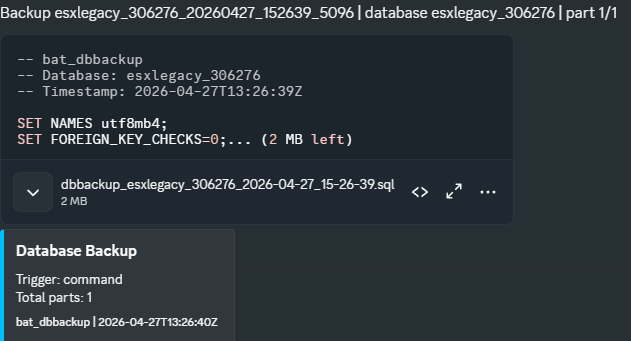
- Optional Discord upload
- Automatic file split for Discord uploads above file limit
- Retention cleanup (keep last N and max age in days)
- Manual command and server export
## Installation
1. Put this resource into your resources folder as "bat_dbbackup".
2. Add to your server.cfg:
ensure bat_dbbackup
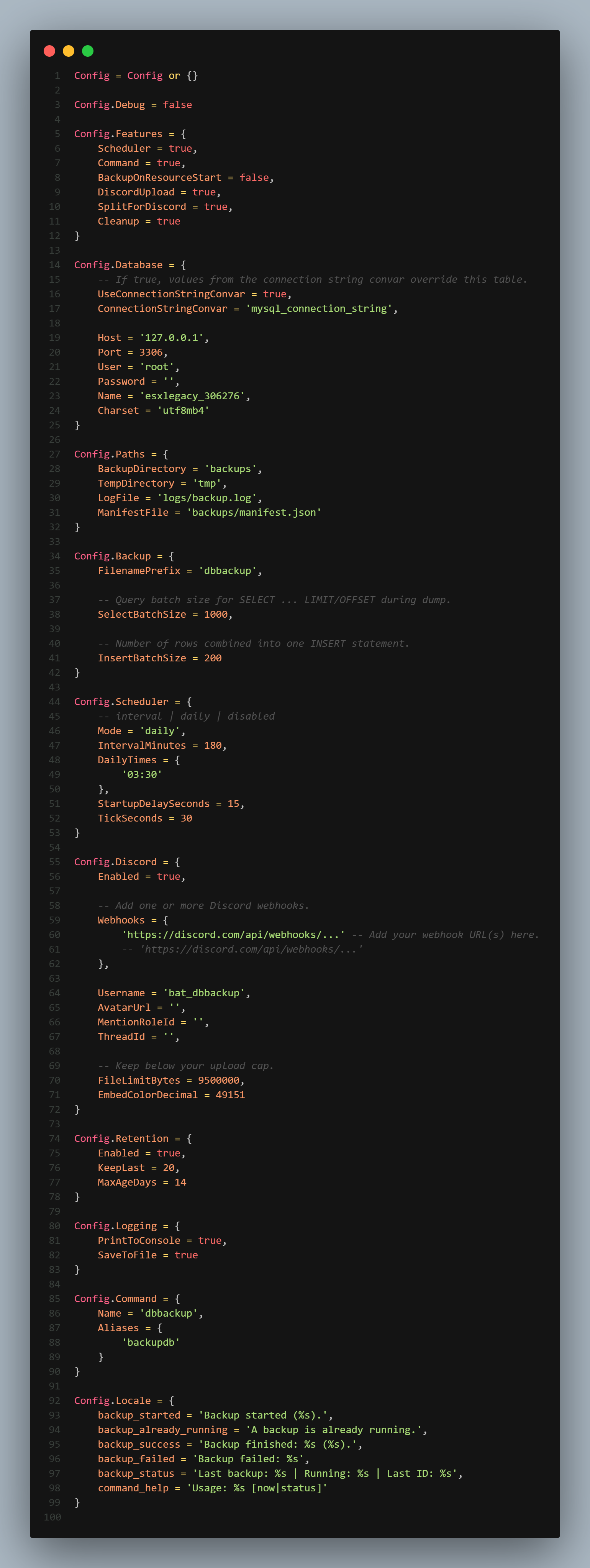
3. Configure "shared/config.lua".
4. Ensure one SQL resource is running: "oxmysql" or "mysql-async".
## Command
Main command:
- dbbackup now
- dbbackup status
Alias:
- backupdb now
- backupdb status
Important:
- Commands are accepted only from source 0 (server console / txAdmin console).
## Config Notes
Main toggles are in Config.Features.
- Scheduler
- Command
- BackupOnResourceStart
- DiscordUpload
- SplitForDiscord
- Cleanup
Batch behavior is in Config.Backup.
- SelectBatchSize
- InsertBatchSize
Discord behavior is in Config.Discord.
- Add one or more webhooks
- Set FileLimitBytes to discords limit (pre set)
- If a backup exceeds this limit and splitting is enabled, the file is split and uploaded in order
## Export
Server export:
- exports.bat_dbbackup:RunBackupNow(trigger)
Example:
local response = exports.bat_dbbackup:RunBackupNow('manual-export')
print(response.ok, response.result and response.result.id)
## Output Files
By default:
- Backups in backups/
- Temp split files in tmp/ (auto-cleaned after upload)
- Logs in logs/backup.log
- Manifest in backups/manifest.json
The manifest is used for cleanup tracking.